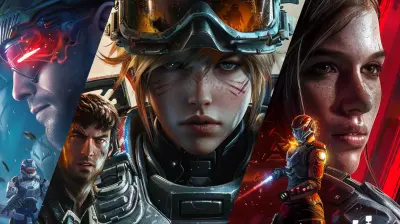
Tips for Better Communication in Cross Platform Games
3 May 2026
Gaming has come a long, long way. Gone are the days when you could only squad up with friends who owned the same console or played on the same device. Now, with cross platform games dominating the scene, you can be on a PC, your buddy can be on Xbox, and your cousin could be on a Switch—and all of you can play together. Sweet deal, right?
But here’s the kicker: communication in cross platform games? Well, it can get tricky. Different systems, different controls, different chat options… it’s like trying to have a conversation with someone across a crowded room using walkie-talkies from the '90s.
So, if you've ever found yourself shouting strategies into the void or getting frustrated with laggy voice comms, you’re not alone. Let’s break down some real, actionable tips to step up your communication game and avoid misfires—both verbal and in-game.
Why Communication in Cross Platform Games is Such a Big Deal
Let’s face it—multiplayer games are built on teamwork. Whether you're taking down bosses, capturing control points, or planning that perfect ambush, clear communication makes everything smoother (and way more fun).Now toss cross-platform play into the mix and you've got a whole new layer of complexity. Everyone’s on different setups: PC players with their keyboards, console gamers with their headsets, and some poor soul typing messages on a virtual keyboard. If you don’t communicate well, it’s like trying to run a relay race when everyone's on a different track.
Tip #1: Use Third-Party Voice Chat Apps When In-Game Chat Is Lacking
Let’s be real: many in-game voice chats are hit or miss. Some are painfully laggy, and others just don’t work across platforms. That’s where third-party voice chat apps like Discord, TeamSpeak, or even Xbox Party Chat (which now supports some cross-platform functionality) can really save the day.Why it helps:
- Everyone's on the same channel, regardless of their platform.
- Better audio quality and reliability.
- Easy to switch between servers or games without losing the group chat.
So, before you dive into your next match, set up a shared Discord or voice server. It’s like laying down a proper communication bridge before storming the battlefield.
Tip #2: Keep Your Callouts Simple and Clear
Ever played with someone who just yells “He’s over there!” and you're like... where the heck is "there"? Yeah, we’ve all been there. In a fast-paced game, there’s no time for vague directions or essay-length instructions.Quick-fire callout tips:
- Use landmarks or compass directions (“Enemy by the red shack, north!”)
- Be short and sweet—nobody has time for a TED Talk mid-firefight.
- Avoid chain-calling (where everyone shouts at once)—it’s chaos.
Think of your team comms like a sports match broadcast. A good commentator doesn’t scream nonsense; they tell you what you need, right when you need it.
Tip #3: Respect Platform Limitations (Not Everyone Has a Keyboard)
On PC, typing a message takes seconds. On a console? Not so much. Console players either fumble with on-screen keyboards or rely entirely on voice chat. That’s why it's important to adjust expectations based on who you’re playing with.What you can do:
- Prefer voice chat over text when possible.
- Be patient with slower replies from console players.
- Encourage the use of built-in commands or pings (more on that below).
Remember, just because someone’s quiet doesn’t mean they’re not trying. Give 'em a chance to catch up.
Tip #4: Master the Art of the Ping System
Some games, like Apex Legends or Fortnite, absolutely nailed this. Their ping systems let you communicate pretty much everything—enemy spotted, loot here, go this way—without saying a single word.Why pings are awesome:
- They’re quick and intuitive.
- They work across all platforms.
- They’re perfect for players who can’t or don’t use voice chat.
If your game supports pings, use them. Use them like your life depends on it—because sometimes, it really might.
Tip #5: Establish Roles and Plans Before the Match Starts
Jumping into a match and winging it might work once or twice. But if you want consistent wins (or just fewer rage quits), a little pre-game talk goes a long way.Discuss:
- Who’s playing what role (support, sniper, tank, etc.)
- What the plan is for the first few minutes
- Any backup strategies if things go south
It’s like planning a heist—you don’t barge into a bank with no plan. Unless you're in GTA Online. Then… carry on.
Tip #6: Encourage a Positive and Open Chat Culture
Toxicity in online games? Shocking, said no one ever. But in cross-platform games, it's even more important to keep things light, friendly, and inclusive—because communities are merging from all over the place.How to encourage good vibes:
- Compliment clutch plays, even from strangers.
- Call out great teamwork.
- Avoid negative chatter, especially during losses.
Funny enough, good communication isn’t just about strategy—it’s about team morale. A little kindness goes a long way.
Tip #7: Use Universal Terms and Avoid Slang That Might Confuse
Gaming slang is wild. What’s obvious to a veteran PC player might sound like gibberish to someone on mobile or console. “Rotate,” “frag out,” or “kite” might not register with everyone.Keep in mind:
- Use terms that are universally understood.
- Explain weird phrases when playing with new friends.
- Stick to game-specific terminology everyone can follow.
Think of it like trying to explain memes to your grandma. She’ll love it... but only if you break it down.
Tip #8: Customize Your Settings for Clearer Comms
Here’s something a lot of players overlook: your comm settings. Whether it’s push-to-talk (PTT), mic sensitivity, or audio mixing—tweaking your settings can make a big difference.Things to fine tune:
- Set a push-to-talk key so your dog barking doesn’t interrupt team strategy.
- Adjust mic sensitivity to avoid cutting out mid-sentence.
- Lower game sound just a bit to hear teammates better.
Basically, treat your voice setup like your loadout. Tune it until it’s just right.
Tip #9: Know When to Shut Up ?
Sometimes, the best communication is silence. When you're clutching a 1v3, you don’t need someone narrating the weather. Cross-platform teams especially deal with lag or chat delays, so over-talking can ruin key moments.Some times to zip it:
- When someone’s trying to clutch
- During enemy footsteps (every footstep counts!)
- When a teammate is giving callouts
In these moments, be like a ninja—silent but deadly (or at least, helpful).
Tip #10: Follow Up After the Game
This might surprise you, but some of the best communication happens after the match. Whether you won, lost, or just barely survived, chatting post-game helps build friendships and improve teamwork for next time.What to say:
- “Hey, GG—great heals, dude.”
- “Next time, let’s try pushing together.”
- “Want to squad up again?”
A simple message can turn a random teammate into a regular squadmate. And that makes every future game way easier to communicate in.
Bonus Tip: Create a Cross-Platform Chat Group
If you play with the same folks across sessions, set up a chat group outside the game—on Discord, WhatsApp, or wherever you all hang out. This makes discussing strat changes, scheduling sessions, or just meme-sharing so much easier.Plus, who doesn’t love a good “that time we won with 3 HP” screenshot in the group chat, right?
Wrapping It Up: Speak the Same Game Language
Cross platform gaming is one of the coolest evolutions in the gaming world. But it also throws communication into the deep end. With different systems, controls, and chat tools, teams can feel more like strangers in a food court than a united front.But with the right tools, good habits, and a bit of patience, you can build a communication style that crosses those platform lines like a champ. Just remember—squad goals aren’t just about winning. They’re about laughing, learning, and shouting “GG” after an insane clutch.
Now get back out there and make your next match sound like a symphony, not a mess of static!
all images in this post were generated using AI tools
Category:
Cross Platform GamingAuthor:

Brianna Reyes
Discussion
rate this article
2 comments
Zevon Velez
Effective communication in cross-platform games hinges on clarity and adaptability. Players should prioritize concise messages, utilize voice chat when possible, and adjust their strategies to accommodate varying player experiences across different platforms.
July 13, 2026 at 3:22 AM
Zealot McIntosh
Sure, because yelling at your screen in three different languages totally counts as effective communication. Can't wait for the next "Lost in Translation" moment!
May 4, 2026 at 4:14 AM
Brianna Reyes
I hear you! Effective communication can be a challenge in those moments. Let's aim for clarity next time.